
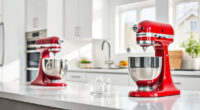
If your KitchenAid Artisan Series 5 Quart Tilt Head Stand Mixer is making a grinding noise during operation, it can be both annoying and concerning. This issue often indicates a mechanical problem that needs attention, but with the right troubleshooting steps, you can often resolve it yourself without professional repair. Before starting, ensure your mixer is unplugged to prevent any accidents and gather the necessary tools like screwdrivers and a soft brush.
In this guide, we’ll walk you through the most common causes of grinding sounds, how to diagnose them, and safe, step-by-step fixes to restore your mixer’s smooth operation.
Key Takeaways
| Cause Identification | Grinding noise can indicate gear or attachment issues. |
| Safety First | Always unplug before inspecting or repairing. |
| Basic Inspection | Check for debris, worn gears, or attachment misalignment. |
| Proper Maintenance | Regular cleaning and lubrication prevent noise. |
| When to Seek Help | Persistent issues may require professional repair or replacement. |

KitchenAid Artisan, 5-Qt Tilt Head Stand Mixer, KSM150PS, Milkshake
- Durable Metal Construction: Built to last with 59 touchpoints
- 5 Quart Stainless Steel Bowl: Handles small or large batches, dishwasher safe
- Tilt-Head Design: Easy ingredient addition and access to bowl
As an affiliate, we earn on qualifying purchases.
Step 1: Unplug and Prepare Your Mixer
- Unplug your KitchenAid mixer from the power outlet to ensure safety during inspection and repair.
- Remove any attachments, such as the flat beater or other accessories, to access the moving parts.
- Place the mixer on a stable, flat surface and gather tools like a Phillips screwdriver, a soft brush, and a clean cloth.
Step 2: Inspect for Obvious Issues
Begin by examining the accessible parts of your mixer. Check for any visible debris, dried batter, or buildup around the gears and the attachment hub. Clear away any dirt or residue with a soft brush or cloth. Look for signs of worn or damaged gears, especially in the gear housing, which can cause grinding noises.
Ensure the attachment is correctly seated and locked into place. Misalignment or loose fittings can also contribute to abnormal noises during operation.
Step 3: Check the Gearbox and Gears
The grinding noise often originates from worn or broken gears inside the mixer’s gearbox. To access these, you’ll need to remove the top cover or housing. Follow your model’s service manual for detailed disassembly instructions, but generally, this involves unscrewing the screws holding the cover in place.
Once open, examine the gears for signs of wear, cracking, or missing teeth. If any gears appear damaged, replacing them is necessary. If you’re unsure how to replace gears, consider consulting a professional or contacting KitchenAid support.
Step 4: Lubricate Moving Parts
Proper lubrication helps reduce noise caused by friction and wear. Use a food-grade silicone lubricant or a similar product recommended for kitchen appliances. Apply a small amount to the gear teeth and moving parts, taking care not to over-lubricate, which can attract dirt or cause other issues.
Avoid using household oils or greases not intended for kitchen appliances, as these can contaminate your mixer or damage internal components.
Step 5: Reassemble and Test
Carefully reassemble the mixer, ensuring all screws and parts are securely in place. Reattach any removed components, and double-check that the attachment hub is correctly aligned and locked.
Plug the mixer back in and run it on a low speed to test for noise. If the grinding persists, repeat the inspection process or consider professional servicing. If the noise is gone, gradually increase speeds to ensure smooth operation.
The Products in This Guide

KitchenAid Artisan Series 5 Quart Tilt Head Stand Mixer
- ✔ Weight: 26 lbs
- ✔ Voltage: 120V
- ✔ Warranty: 1-year limited

KitchenAid Stand Mixer Attachment
- ✔ Weight: 10 lbs
- ✔ Warranty: 1 year
- ✔ Dimensions: 12 x 8 x 6 inches
KitchenAid Artisan Series 5 Quart Tilt Head Stand Mixer
The KitchenAid Artisan Series 5 Quart Tilt Head Stand Mixer is well-built with durable metal construction, making it a popular choice for home bakers. While it generally offers long-lasting performance, some users report grinding noises which often stem from gear or attachment issues. Regular maintenance and careful inspection can usually resolve these problems effectively.
Pros:
- Durable metal construction
- Powerful 10-speed motor
- Large 5-quart capacity
- Tilt-head design for easy access
Cons:
- Potential gear noise over time
- Requires regular maintenance
- May need professional repair for internal gear issues
Best for: Home bakers and cooking enthusiasts seeking a reliable, stylish mixer
Not ideal for: Users looking for a lightweight or budget-friendly option
Bottom line: A sturdy, versatile mixer that, with proper care, can last for years despite occasional noise issues.
KitchenAid Stand Mixer Attachment
The KitchenAid Metal Food Grinder attachment expands your mixer’s functionality, allowing you to grind meats, vegetables, and more. It connects easily to the power hub, providing a reliable and efficient grinding process, which can also help reduce internal gear strain that might cause grinding noises.
Pros:
- Versatile grinding options
- Easy to attach and clean
- Sturdy metal construction
- Includes multiple grinding plates
Cons:
- Additional cost
- Requires space for storage
- Attachment sold separately
Best for: Home cooks wanting fresh ground ingredients and improved mixer performance
Not ideal for: Users who do not frequently grind ingredients
Bottom line: A durable, versatile addition that can help alleviate internal gear stress and improve performance.
Frequently Asked Questions
Why does my KitchenAid mixer make a grinding noise?
Grinding noises often result from worn or damaged internal gears, debris caught in the gear housing, or misaligned attachments. Regular inspection and maintenance can usually resolve these issues.
Is it safe to open my KitchenAid mixer to fix the grinding noise?
Yes, but ensure the mixer is unplugged and you follow proper disassembly procedures. If unsure, consult the user manual or contact a professional technician.
How often should I clean and lubricate my mixer?
Regular cleaning after use and periodic lubrication of moving parts can prevent noise and wear. Check your manual for specific maintenance intervals.
When should I seek professional repair?
If after troubleshooting the grinding noise persists or internal gears appear damaged, it’s best to consult a professional or contact KitchenAid support to avoid further damage.
Can the grinding noise be caused by attachments?
Yes, improperly fitted or worn attachments can cause noise. Always ensure attachments are correctly installed and compatible with your model.
Keep Your KitchenAid Running Smoothly
Addressing a grinding noise in your KitchenAid Artisan Series mixer involves careful inspection, cleaning, lubrication, and sometimes gear replacement. Regular maintenance and cautious use can extend your mixer’s lifespan and keep it operating quietly. If issues persist despite troubleshooting, professional repair or replacement of internal gears may be necessary. With proper care, your mixer can continue to be a valuable kitchen companion for years to come.
Affiliate disclosure: As an Amazon Associate we earn from qualifying purchases. Prices and availability are accurate as of the time of publishing.