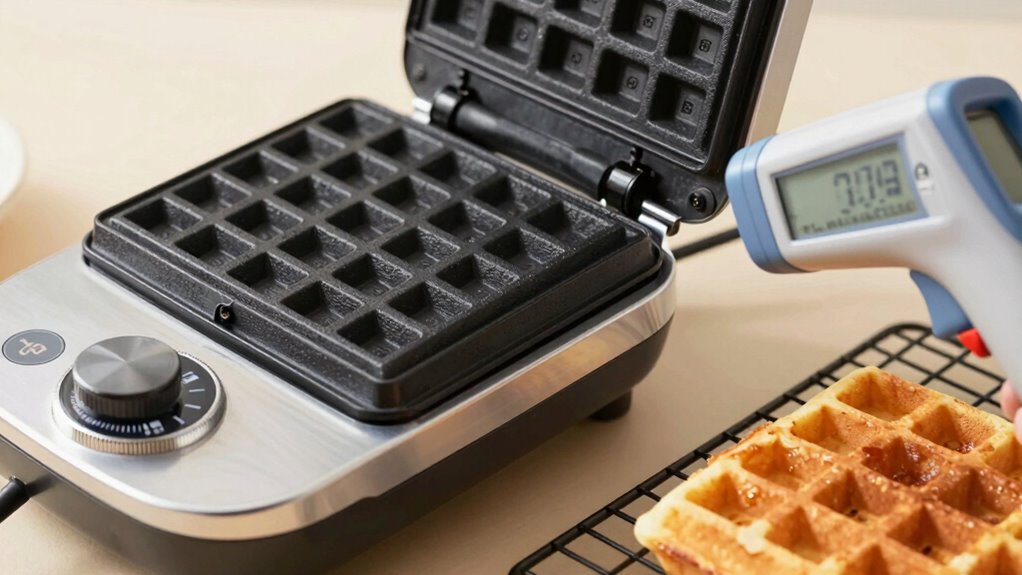

To verify if your waffle iron’s temperature dial is precise, use a dependable digital thermometer designed for high heat. Heat your waffle iron, then carefully insert the thermometer probe into the center of the surface once it reaches the setting. Wait for the reading to stabilize and compare it to the dial’s indication. If they don’t match, there are simple steps to calibrate or troubleshoot—continue to discover how to guarantee perfect, evenly cooked waffles every time.
Key Takeaways
- Use a high-temperature digital thermometer to verify the actual surface temperature of the waffle iron.
- Heat the waffle iron to the desired setting, then insert the thermometer probe into the center of the cooking surface.
- Allow the thermometer to stabilize and compare its reading with the dial setting to identify discrepancies.
- Check if your waffle iron has calibration options, such as a calibration screw or adjustment knob, to correct inaccuracies.
- Perform regular testing and maintenance to ensure the sensor and dial accurately reflect the true internal temperature.

If you’ve ever wondered whether your waffle iron’s temperature dial is accurate, you’re not alone. Many people assume the dial reflects the true heat inside, but often, it doesn’t. Over time, the thermostat or sensor can develop a malfunction, leading to inaccurate readings. This is especially true if your waffle iron’s temperature control isn’t consistent or seems to fluctuate unpredictably. To verify your waffles turn out perfect every time, you need to perform a thermal calibration to confirm if the dial is truly accurate or if it’s misleading you.
The first step is understanding that the temperature dial works based on a sensor that monitors heat and adjusts the power accordingly. If that sensor malfunctions—due to dust, debris, or wear—the dial might give false readings, causing your waffle iron to either underheat or overheat. This is why calibration is crucial. Instead of blindly trusting the dial, you should test its accuracy with a simple method.
Start by heating your waffle iron to the temperature setting you usually use. While it heats, prepare a digital meat or oven thermometer that can withstand high temperatures. Once your iron indicates it has reached the set point, carefully open it and insert the thermometer probe into the center of the heating surface. Wait a few seconds for the reading to stabilize and note the temperature. If the thermometer shows a noticeably different temperature than the dial suggests, it’s time to consider calibration or repair.
If you find a discrepancy, you might need to perform a thermal calibration. Some waffle irons have a calibration screw or adjustment knob that allows you to fine-tune the sensor. Consult your user manual for specific instructions. If your device doesn’t have this feature, or if calibration doesn’t resolve the issue, it’s likely your sensor is malfunctioning. In such cases, replacing the sensor or seeking professional repair is often the best course of action.
Regularly checking your waffle iron’s temperature accuracy prevents cooking disappointment and ensures food safety. A malfunctioning sensor can not only ruin your waffles but also pose safety risks if the device overheats. By periodically testing with a thermometer and calibrating when needed, you keep your appliance reliable. Remember, a faulty sensor isn’t just about inaccurate readings; it can compromise the whole cooking process. Addressing sensor malfunction promptly ensures your waffle iron heats correctly and your breakfast remains perfect. Proper maintenance of sensors can extend the lifespan of your appliance and improve its overall performance.
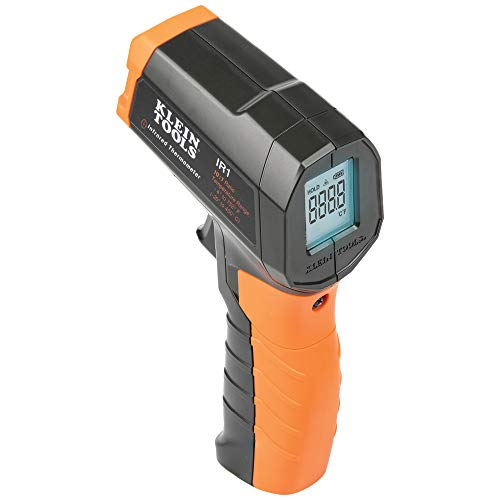
Klein Tools IR1 Infrared Thermometer, Digital Laser Gun is Non-Contact Thermometer with a Temperature Range -4 to 752-Degree Fahrenheit
- Optical Resolution: 10:1 distance-to-spot ratio
- Temperature Range: -4°F to 752°F
- Laser Targeting: Includes laser for precise aiming
As an affiliate, we earn on qualifying purchases.
As an affiliate, we earn on qualifying purchases.
Frequently Asked Questions
How Do I Calibrate My Waffle Iron’s Temperature Dial?
To calibrate your waffle iron’s temperature dial, start by heating the iron and placing an oven thermometer inside. Check the thermometer’s reading against the dial setting. If it’s off, look for dial adjustment screws or knobs on your waffle iron. Turn the screw or knob incrementally to calibrate the temperature. Repeat this process until the dial matches the actual temperature, ensuring accurate temperature calibration for perfect waffles every time.
What Are the Signs My Waffle Iron’s Temperature Is Inaccurate?
You’ll notice signs like temperature fluctuations or uneven heating when your waffle iron’s temperature is inaccurate. If your waffles come out inconsistently cooked, with some parts overdone and others undercooked, that’s a clear indicator. Additionally, if the iron heats unevenly or takes longer to reach the desired temperature, it suggests calibration issues. These signs mean you should check your waffle iron’s settings or consider recalibrating it for better results.
Can I Repair a Faulty Temperature Dial Myself?
Yes, you can attempt DIY maintenance for a faulty temperature dial, but proceed with caution. First, unplug your waffle iron and carefully open the housing using screwdrivers. Check for loose wires or visible damage, and tighten or replace parts as needed. This is a simple appliance troubleshooting step, but if you’re uncomfortable with electrical work, it’s safer to consult a professional. Always prioritize safety during DIY repairs.
How Often Should I Test My Waffle Iron’s Temperature Accuracy?
Did you know that 70% of waffle inconsistencies come from inaccurate temperature control? You should test your waffle iron’s temperature accuracy every 1-3 months to guarantee proper temperature maintenance and perfect waffle consistency. Regular checks help prevent undercooked or burnt waffles, saving you time and frustration. Keep your appliance in top shape by monitoring this frequently, especially if you notice uneven cooking or changing results.
Are Digital Waffle Irons More Reliable Than Dial-Controlled Ones?
Digital waffle irons generally offer better digital accuracy, providing consistent temperature readings that help you achieve perfect waffles. They tend to be more reliable in maintaining precise heat levels, reducing guesswork. Mechanical reliability of dial-controlled models can vary, sometimes leading to inaccurate temperatures. If you want consistent results, a digital waffle iron is a smarter choice, ensuring you get even cooking and fewer surprises during breakfast.
Conclusion
Now that you know how to check your waffle iron’s temperature, think of it as tuning a musical instrument—you want everything to be just right. When you guarantee your dial’s accuracy, those waffles will turn out perfectly golden every time. Keep this trick in your toolkit, and your breakfast game will stay on pitch. Remember, a little calibration now saves soggy or burnt waffles later, making your mornings smoother and tastier.