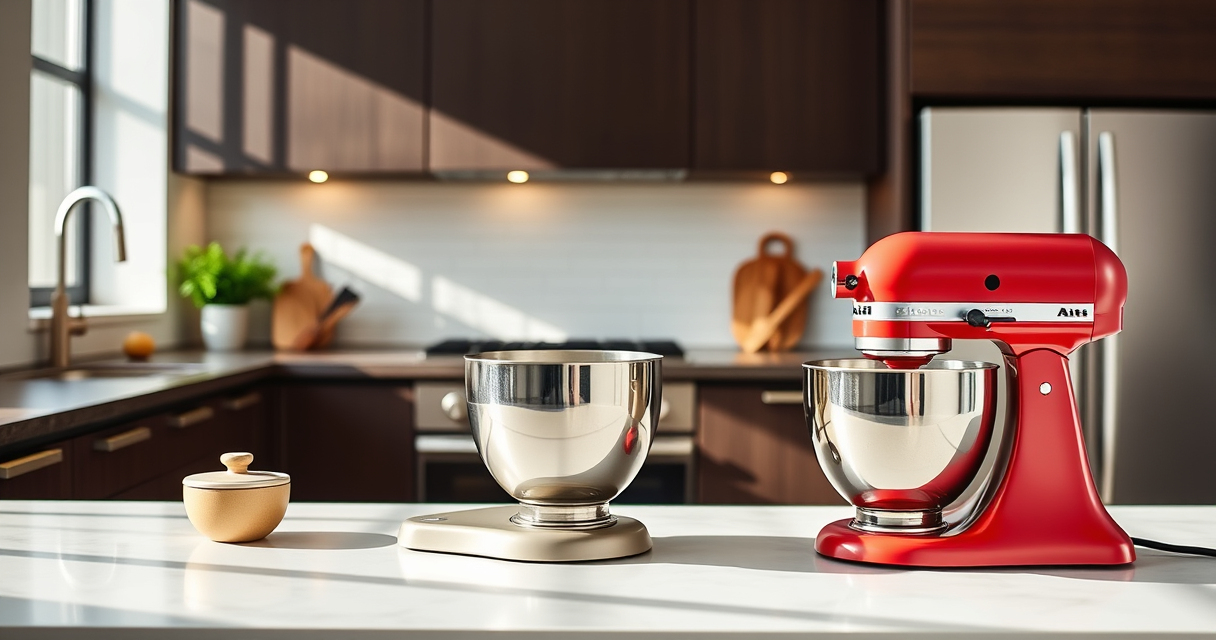

KitchenAid stand mixers are renowned for their durability and versatility in the kitchen. However, like any appliance, they require proper care and occasional troubleshooting to keep them running smoothly. Whether you’re experiencing motor issues, attachment problems, or just want to extend the life of your mixer, this comprehensive guide provides step-by-step instructions, safety tips, and maintenance advice to help you get the most out of your KitchenAid.

Get baking supplies delivered free with Prime
- Fast, free delivery on millions of items
- Prime Video, Amazon Music and more included
- Member-only deals all year
From cleaning attachments like the Stainless Steel Flat Beater to troubleshooting common motor or gear concerns, our expert-approved tips will ensure your mixer remains a reliable kitchen companion for years to come.
Key Takeaways
| Regular cleaning is essential | Keep attachments and the mixer body clean to prevent buildup and ensure smooth operation. |
| Check connections and attachments | Ensure attachments are properly fitted and the mixer is plugged in securely before use. |
| Troubleshoot motor issues promptly | Identify signs of motor strain or overheating early to prevent damage. |
| Use the right attachments | Match attachments precisely with your mixer model for safe and effective performance. |
| Perform routine maintenance | Lubricate moving parts and inspect for wear regularly to prolong lifespan. |
Understanding Your KitchenAid Mixer
Before diving into troubleshooting, it’s crucial to understand the key components of your KitchenAid stand mixer. The mixer’s motor, transmission, and attachments work together to deliver powerful performance. Knowing how these parts interact will help you diagnose issues more effectively. For example, if your mixer stops working or vibrates excessively, it could be a problem with the motor or a loose attachment. Regular maintenance and proper use can prevent most common issues and extend the life of your appliance.
How to Clean and Care for Attachments
- Unplug your mixer before cleaning attachments to ensure safety.
- Remove the Stainless Steel Flat Beater or other attachments gently from the mixer.
- Wash the attachments with warm, soapy water. For the Stainless Steel Flat Beater, it is dishwasher safe, but hand washing prolongs its finish.
- Dry thoroughly to prevent rust or corrosion.
- Inspect for any signs of wear or bending, especially after heavy-duty use.
- Reattach securely, ensuring they lock into place properly before use.
Proper cleaning prevents food residue buildup, which can cause imbalance or motor strain during operation. Regularly inspecting your attachments for damage also helps avoid mishaps during mixing tasks.
Troubleshooting Common Mixer Problems
- Mixer not turning on: Check that the power cord is firmly plugged in. Test the outlet with another device. If the mixer still doesn’t start, inspect the power switch and internal wiring or consult a professional.
- Motor overheating: If your mixer smells hot or stops mid-task, turn it off and unplug. Allow it to cool for at least 30 minutes. Avoid overloading by reducing ingredient quantities or mixing in batches.
- Vibration or noise: Ensure the mixer is on a flat, stable surface. Check that attachments are properly fitted. Excessive noise might indicate worn gears or a need for lubrication. Refer to a professional for internal inspection.
- Attachments not spinning: Confirm the attachment is properly seated and locked. Dirty or worn attachment hubs can also cause slipping. Clean the hub area thoroughly and replace if damaged.
Addressing these issues promptly prevents further damage and keeps your mixer performing optimally.
Maintaining Your Mixer for Longevity
- Regularly clean the attachment hubs and the mixer head to prevent dust and debris buildup.
- Lubricate the transmission gear as recommended in your user manual, typically every 1-2 years.
- Inspect the power cord and plug for damage. Replace if frayed or cracked.
- Store attachments and the mixer in a dry, dust-free environment.
- Follow the manufacturer’s instructions for replacing worn or damaged parts, such as gears or the drive belt.
Consistent maintenance extends the lifespan of your KitchenAid and ensures trouble-free operation for years to come.
Safety Tips and Warnings
- Always unplug the mixer before cleaning or servicing to prevent accidental activation.
- Use only compatible attachments to avoid damaging the motor or gears.
- Do not operate the mixer with damaged cords or plugs—replace immediately.
- Keep liquids away from the motor housing to prevent electrical shorts.
- Follow the manufacturer’s instructions for cleaning and maintenance.
Practicing these safety measures will keep you and your appliance safe during everyday use and troubleshooting.
The Products in This Guide

Stainless Steel Flat Beater
- ✔ Material: Stainless Steel
- ✔ Compatibility: 4.5-5 Qt Tilt-Head Mixers
- ✔ Dishwasher Safe: Yes

KitchenAid Stand Mixer Attachment
- ✔ Material: Metal
- ✔ Compatibility: KitchenAid Stand Mixers
- ✔ Includes: Grinding plates and sausage tubes
Stainless Steel Flat Beater
The Stainless Steel Flat Beater offers superior strength for heavy-duty tasks like thick cookie dough or mashed potatoes. It fits 4.5 and 5-quart tilt-head mixers, ensuring seamless compatibility and durable performance over time.
Pros:
- Heavy-duty construction
- Dishwasher safe
- Perfect fit for popular models
- No paint chipping
Cons:
- Requires proper attachment alignment
- May need replacement after extensive use
Best for: Heavy-duty mixing tasks that demand durability
Not ideal for: Light, infrequent mixing needs or delicate batters
Bottom line: A robust, dishwasher-safe beater ideal for heavy-duty kitchen tasks.
KitchenAid Stand Mixer Attachment
The KitchenAid Metal Food Grinder allows you to create fresh, homemade ground meats, salsas, and more with ease. Its durable metal construction and included grinding plates make it a reliable choice for daily use, especially when paired with the stand mixer’s power hub.
Pros:
- Multiple grind plates included
- Sturdy metal build
- Easy to attach
- Large food tray for bigger batches
Cons:
- Requires pre-chilling for best results
- Additional storage case needed
Best for: Homemade ground meats, salsas, and specialty foods
Not ideal for: Small batch grinding or infrequent use
Bottom line: A durable, versatile attachment for fresh ground foods at home.
Frequently Asked Questions
How often should I clean my KitchenAid attachments?
It’s best to clean attachments after each use to prevent buildup and ensure optimal performance. Dishwashers can be used for stainless steel parts, but hand washing with warm, soapy water prolongs their finish.
Why is my mixer overheating during use?
Overheating can occur if the mixer is overloaded or used continuously for long periods. Turn off the mixer and let it cool down for at least 30 minutes before resuming. Reduce load size or mixing time to prevent this.
Can I use any attachment with my KitchenAid mixer?
No, only attachments designed for your specific model and approved by KitchenAid should be used. Using incompatible attachments can damage the motor or void warranty.
What should I do if my attachment doesn’t spin?
Ensure the attachment is properly seated and locked into the hub. Clean any dirt or food residue from the attachment hub. If the problem persists, inspect for wear or damage and replace if necessary.
How do I lubricate the internal gears?
Refer to your user manual for specific instructions. Typically, lubrication is recommended every 1-2 years using a food-grade lubricant. Do not over-lubricate, and ensure the mixer is unplugged during maintenance.
Keep Your KitchenAid Running Smoothly
Proper maintenance and troubleshooting are key to ensuring your KitchenAid mixer remains a reliable workhorse in your kitchen. Regular cleaning, attentive inspection, and cautious use of attachments will extend its lifespan and enhance performance. Remember, safety first—always unplug before cleaning or servicing, and consult professional repair services if complex issues arise. With these tips, your KitchenAid will continue to deliver excellent results for years to come.
Affiliate disclosure: As an Amazon Associate we earn from qualifying purchases. Prices and availability are accurate as of the time of publishing.
Evergreen bestsellers Picks
bestsellers
As an affiliate, we earn on qualifying purchases.